
Why This Conversation Is Happening Now
You may have seen some headlines lately about a shift happening in AI. Most of the well-known tools, like ChatGPT or Claude, are built and controlled entirely by the companies behind them. You use the tool the way it was made, and that's the only way you can use it.
Recently, more "open" AI models have started showing up. These are models that other companies and developers can take, adapt, and run in their own way, instead of relying on one company to run everything for them. It's a meaningful change in how AI gets built and used.
For you, this is really about choice. Instead of one company deciding how a tool works and where your information goes, organizations are starting to have more say in the matter. More options for how AI runs, more say in what it can access, and more room to choose an approach that actually fits.
For a growing organization already balancing a tight budget and real responsibility for the information it handles, that's good news. More choice means more room to pick something that fits, instead of settling for whatever one tool happens to offer.
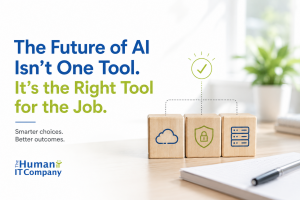
You Don't Need One AI Tool. You Need the Right One For Each Job
Most of us default to using the same AI tool for everything. Drafting an email one minute, summarizing a report the next, brainstorming ideas for a campaign right after that. It's an easy habit to fall into, especially when one tool is already open in another tab.
That habit made sense when there weren't many options. It makes less sense now.
What matters more is what does this specific task actually need. A quick social post and a spreadsheet full of client records don't call for the same level of care, and treating them the same is where things start to get risky, or just inefficient.
A few everyday examples make this easier to picture. Drafting a social media post or brainstorming event ideas? A regular AI chatbot works well, and there's little reason to overthink it. Summarizing an internal policy or searching through staff procedures? You might want something with tighter privacy settings, since that information isn't meant for just anyone. Handling client records, financial details, or anything genuinely sensitive? You might decide AI doesn't belong in that process yet, and that's a completely reasonable place to land.
None of this requires becoming an AI expert. It just means pausing for a moment to notice what you're actually working with before you decide how to work with it.
Start With the Task, Not the Technology
Not every task you hand to an AI tool deserves the same level of thought. A newsletter draft is not a customer list. A quick summary is not a spreadsheet full of client details. Once you start noticing that difference, the whole decision gets easier.
So before you type anything into an AI tool, it helps to ask a few quick questions about what's actually in front of you.
- Is this public information, or something more private, like names, contact details, or financial records?
- Who else would see this if it ended up somewhere it shouldn't?
- What would it actually cost you, in time, trust, or money, if this got exposed or lost?
- Is this something your team can keep an eye on day to day, or does it need more structure than that?
None of this takes long. A couple of minutes, honestly. But it's the difference between guessing which AI tool to use and actually knowing why you picked the one you did.
Three Ways to Think About Where Your AI Runs
Once you have a sense of what a task actually needs, the next question is simpler than it sounds. Where should this AI tool actually run, and who's really in control of it. There are three basic options worth knowing.
The easy option: AI that runs on someone else's system. This is what most people picture, an app or website where you type a question and the company behind it handles everything. It's simple and works well for public content, brainstorming, or low-risk writing. Just know that your information is going somewhere outside your organization, so it's worth understanding what that company does with it.
The more controlled option: AI with tighter privacy settings. Some tools let you limit who can access them and what they can see, even though an outside company still runs the technology. This suits internal policies, staff procedures, or searching your own documents. Keep in mind that "more private" doesn't mean it's sitting on a computer in your office, it usually still lives with an outside provider, just with stronger rules around it.
The most controlled option: AI that runs on your own systems. A smaller number of organizations set up AI on a computer or server they manage themselves. This can make sense for specialized or sensitive work once it's been carefully reviewed. It's worth going in with eyes open, though, since someone has to manage security, updates, and backups, which is usually why it's not the starting point for a smaller team.
This is also where that shift toward more open AI models starts to matter. As more of these models become available, smaller organizations are getting access to setups that used to only exist inside big tech companies, often at a fraction of the cost. That doesn't mean every organization should run its own AI system. It just means the range of realistic options is getting wider.
More Control Doesn't Automatically Mean More Safety
That widening range of options raises a natural question. If you have more control over where your AI runs, does that automatically make it safer? It's worth clearing up, because the answer isn't as simple as it seems.
Say two organizations both decide to take AI seriously. One sets up their own server so they can run everything in-house. The other sticks with a well-known cloud tool but takes the time to lock down its settings properly. It's easy to assume the first organization made the safer choice, simply because they're the ones in control.
That's not necessarily true. The organization running its own server needs someone actively watching who has access, keeping the software updated, and checking that backups are actually working, not just switched on once and forgotten. If that upkeep slips, and for a small team it often does, that "more secure" system can end up weaker than a properly configured cloud tool with a full-time security team behind it.
What actually determines safety isn't where the AI runs. It's whether someone is genuinely looking after it.
The Takeaway
You don't need to become an AI expert, and you don't need one tool that does everything. You just need a little more clarity about what each task actually needs, and the confidence to make that call task by task.
Some days that means opening a familiar chatbot without a second thought. Other days it means pausing before you paste something in, or deciding AI isn't the right fit for this particular job at all. Both are good decisions. What matters is that you're the one making them, not defaulting to whatever's already open in your browser.
If you'd like to think through what actually fits your organization, we're always happy to talk it through. No pressure, just a practical conversation about what makes sense for you.